
Download Quick Hide Windows – hide windows, quick hide, privacy, password protection, portable app, desktop utility
Overview
Quick Hide Windows is a lightweight desktop utility designed to provide immediate privacy by concealing all open windows on a PC with a single action. This tool addresses the common need for quick screen protection in shared or public environments, such as offices, libraries, or homes with multiple users. Its primary function—hiding active applications—solves the problem of accidental exposure of sensitive information, whether it’s personal documents, financial data, or confidential work files. The app is especially beneficial for professionals who frequently switch between tasks, work in collaborative spaces, or need to step away from their computer without closing applications.
Target users include remote workers, freelancers, students, and anyone who values digital privacy. The developer, Arnold A. Howe, has created a focused tool that prioritizes simplicity and speed.
While no additional background on the developer is provided, the app’s long-standing presence since 2007 indicates a stable and reliable utility. Real-world use cases include quickly hiding a personal chat window during a meeting, securing financial spreadsheets from curious onlookers, or protecting login screens during brief absences. In the broader software ecosystem, Quick Hide Windows fills a niche gap left by mainstream operating systems, offering a dedicated solution for instant privacy without complex setup.
Key Features & Functionality
- Instant Window Hiding: With one click, all open windows are hidden from view, restoring them instantly upon reactivation. This feature is ideal for sudden interruptions or when privacy is required on demand.
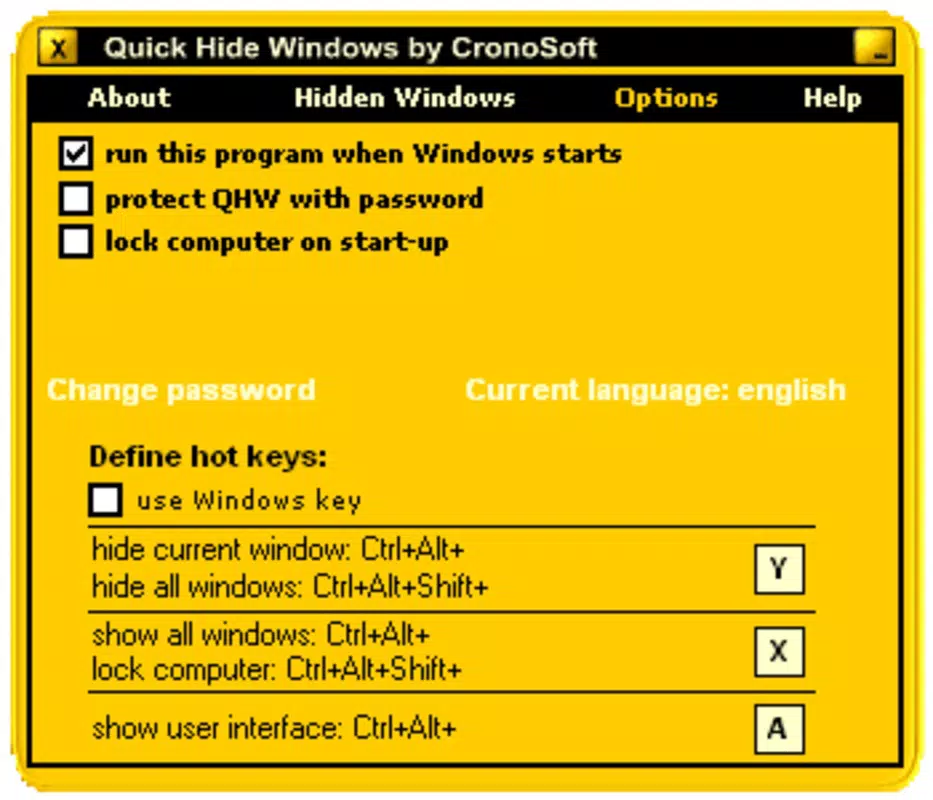
- Password Protection: Users can secure the app with a password, ensuring only authorized individuals can restore hidden windows. This adds a critical layer of security in shared or public computing environments.
- User-Friendly Interface: The app features a minimalistic design with clear, accessible controls. Even users with limited technical experience can operate it without confusion or training.
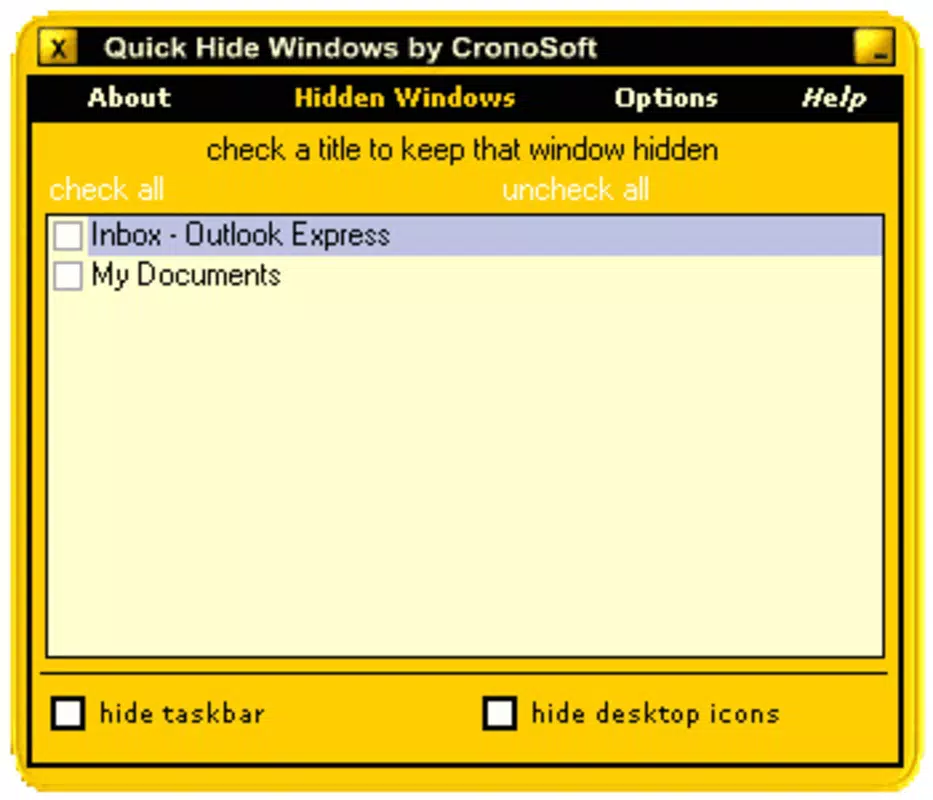
- Multiple Hide Options: Users can choose to hide all windows or selectively conceal specific applications based on preference, offering flexibility in privacy management.
- Portable Application: Quick Hide Windows is fully portable—no installation required. It can be run directly from a USB drive, making it ideal for professionals who use multiple computers or need privacy on the go.
For example, a consultant working in a client’s office can use the app to hide sensitive project files when stepping away. A student can quickly conceal personal messages during a group study session. The portability feature allows users to carry their privacy tool across different machines, ensuring consistent protection regardless of location.
Interface, UX & Performance
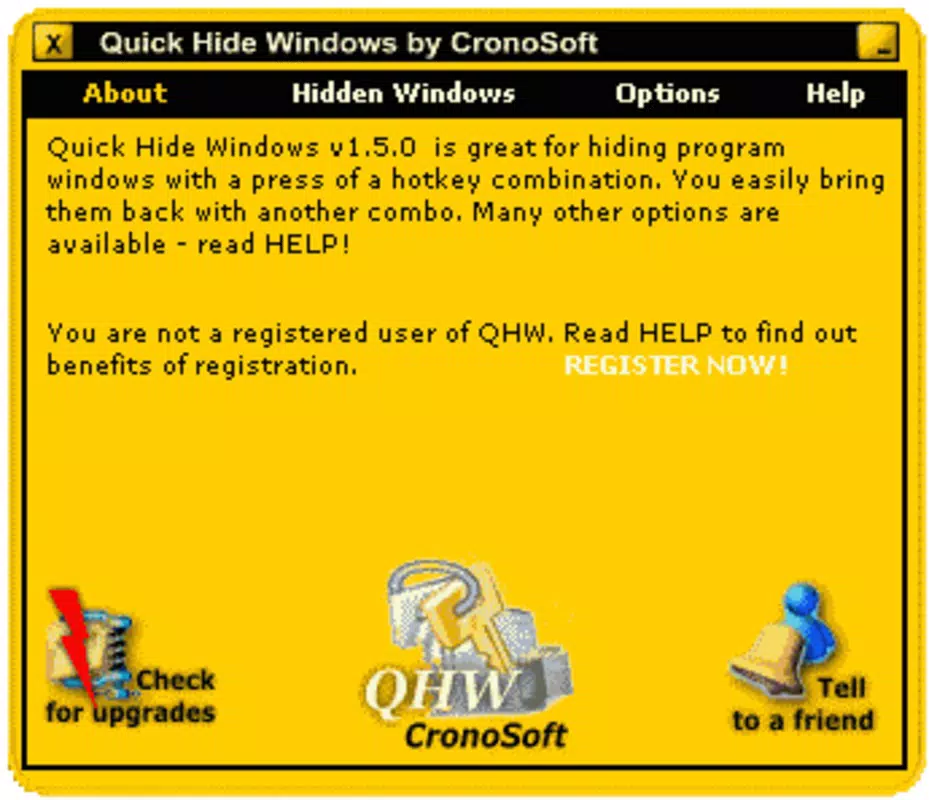
Quick Hide Windows presents a clean, minimalist interface focused on functionality over aesthetics. The layout is straightforward, with essential controls clearly labeled and accessible. Navigation is intuitive, requiring no learning curve—users can activate the hide function immediately upon opening the app. The visual style is consistent with traditional desktop utilities, prioritizing clarity and speed.
Although the developer did not list formal performance metrics, the app’s small file size of 1.3 MB suggests efficient resource usage. It runs smoothly on a wide range of Windows systems without causing noticeable lag or memory strain. Responsiveness is fast, with minimal delay between activation and window concealment.
Stability appears reliable, as the app has remained in use since 2007, indicating long-term functionality. The absence of complex setup or background processes enhances its performance profile. While compatibility details were not fully disclosed, the app’s portability suggests broad support across Windows versions.
Overall, the user experience is optimized for speed and simplicity, aligning with its core purpose of instant privacy.
Platform Compatibility & Technical Requirements
Quick Hide Windows is designed exclusively for the Windows platform. The app is compatible with various Windows operating systems, though specific version requirements were not listed by the developer. The software version is 2.1, and the file size is 1.3 MB, indicating a lightweight and efficient application. As a portable tool, it does not require installation, making it accessible across different Windows environments without administrative privileges.
The developer did not specify minimum OS requirements, nor did they provide information on system architecture (32-bit or 64-bit). However, the app’s long history and minimal resource demands suggest it likely functions on most modern and legacy Windows systems. For users seeking a secure, no-installation solution, this makes Quick Hide Windows a practical choice. Its compatibility with USB drives enhances its utility in diverse computing environments, including shared workstations and public terminals.
Pros and Cons
- Lightweight and fast, with minimal system impact
- Instant window hiding with a single click
- Secure password protection for sensitive data
- Portable—no installation required
- Simple, intuitive interface for all user levels
- Free to download and use
- No official support for macOS or Linux
- Specific OS compatibility details not disclosed
- Limited customization options beyond hiding and password protection
- Outdated release date (2007) raises questions about ongoing maintenance
- No in-app updates or automatic version checks
FAQ
Is Quick Hide Windows safe to download and use?
Yes, the app is free and designed as a trusted desktop utility. As a portable application, it does not install system files or modify registry settings, reducing potential security risks.
Can I use Quick Hide Windows on multiple computers?
Yes, the app is portable and can be run from a USB drive or any external storage. This allows seamless use across different Windows machines without installation.
Does Quick Hide Windows require an internet connection?
No, the app functions entirely offline. All features, including password protection and window hiding, work without requiring an internet connection.
Is there a mobile version of Quick Hide Windows?
Currently, Quick Hide Windows is only available for Windows. There is no official mobile version for Android or iOS.
How do I update Quick Hide Windows?
As the app is free and portable, updates are not automatic. Users must manually check the developer’s website for the latest version and download it if available.
Final Thoughts
Quick Hide Windows remains a valuable tool for anyone seeking instant privacy on a Windows PC. Its combination of speed, portability, and password protection delivers a practical solution for real-world scenarios where screen visibility must be controlled. While the app’s age and lack of modern features may be a consideration, its core functionality remains effective and reliable. For users who prioritize simplicity and security without the need for complex setup, it offers exceptional value. The free model and no installation requirement make it accessible to a broad audience.
Download Quick Hide Windows now


